Turn scattered notes into a presentation outline
Use one central question and one conclusion per slide to organize notes or pasted Markdown into a clear outline.
By Myo · Updated
Filter the material first
Write the question your audience cares about most. Label each note as context, evidence, conclusion or action. Move unrelated material to a separate reference section instead of putting everything into the deck.
For Markdown, copy the relevant headings and text into your input. Direct .md file upload is not supported; complex tables, images and linked pages are not automatically imported as slide content.
Turn section labels into conclusions
“Market analysis” names a category. “Trial users need faster retrieval” makes a claim that evidence can support. Choose a small set of facts for each conclusion, then select a comparison, process or data layout.
If a slide needs two separate explanations, split it into two slides. Shorter wording usually reads better than smaller type. Keep long quotations in notes or supporting material.
State the boundaries of the draft
Paste the filtered notes and identify numbers that must remain unchanged and questions that remain unanswered. Review the generated outline so every slide answers a specific question.
Replace the example below with your own material. Verify sources, causal claims and any numbers that appear in the output but were absent from your notes.
Example notes-to-outline prompt
Turn these notes into a slide outline with one conclusion per page: trial users struggled to find search; we moved the entry point this week; next we need to observe usage. Explain the problem, change and validation plan. Do not estimate an improvement percentage.
Adapt this example with your own facts and numbers before generating.
Worked example: review a three-slide outline
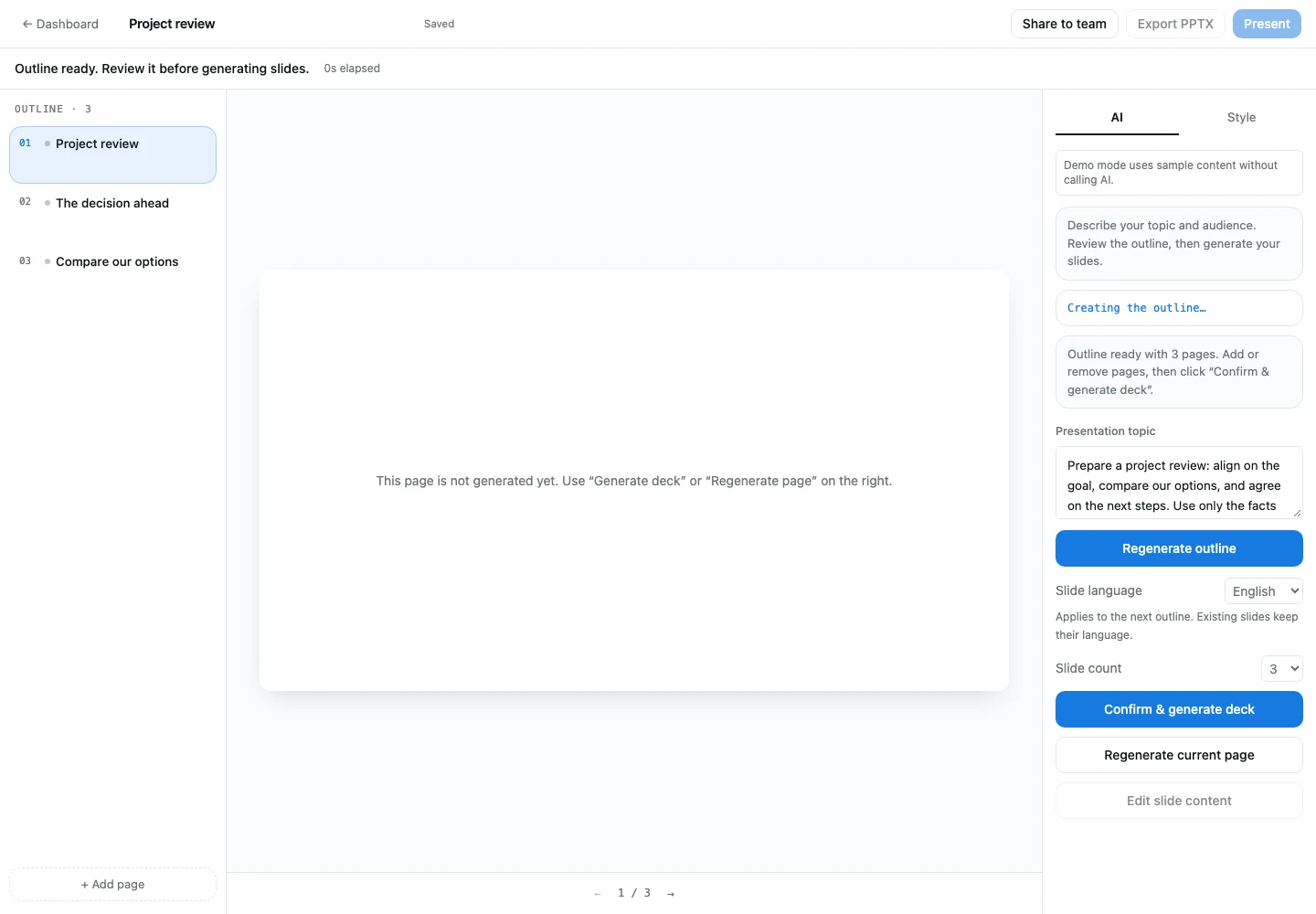
This local example starts with a project review: align on the goal, compare options, and agree on next steps. Check the outline against your notes, choose the slide language, and generate when the structure is right.
 View full-size screenshot (new window)